
Digital Dental Libraries Installer
Install Exocad and Exoplan libraries in one click.
Drop your ZIP file, select your detected installation, and click INSTALL.
No manual copying. No guessing folders. Fully offline.
✔ Windows 10 / 11
✔ No installation required
✔ No Python needed
✔ Offline installer
What is this tool?
The Digital Dental Libraries Installer is a lightweight Windows utility designed
to install Exocad and Exoplan libraries safely and automatically.
It detects installed versions on your computer and merges the library content
into the correct folders:
- Exocad →
DentalCADApp\library - Exoplan →
ImplantPlanning\library
Key features
- Drag & drop ZIP installation
- Automatic detection of Exocad and Exoplan versions
- Support for multiple installed versions
- Preview before installation
- Fast copy directly from ZIP
- Offline and portable (no setup required)
- Ready for implants, surgical guides, attachments, teeth and more
Preview
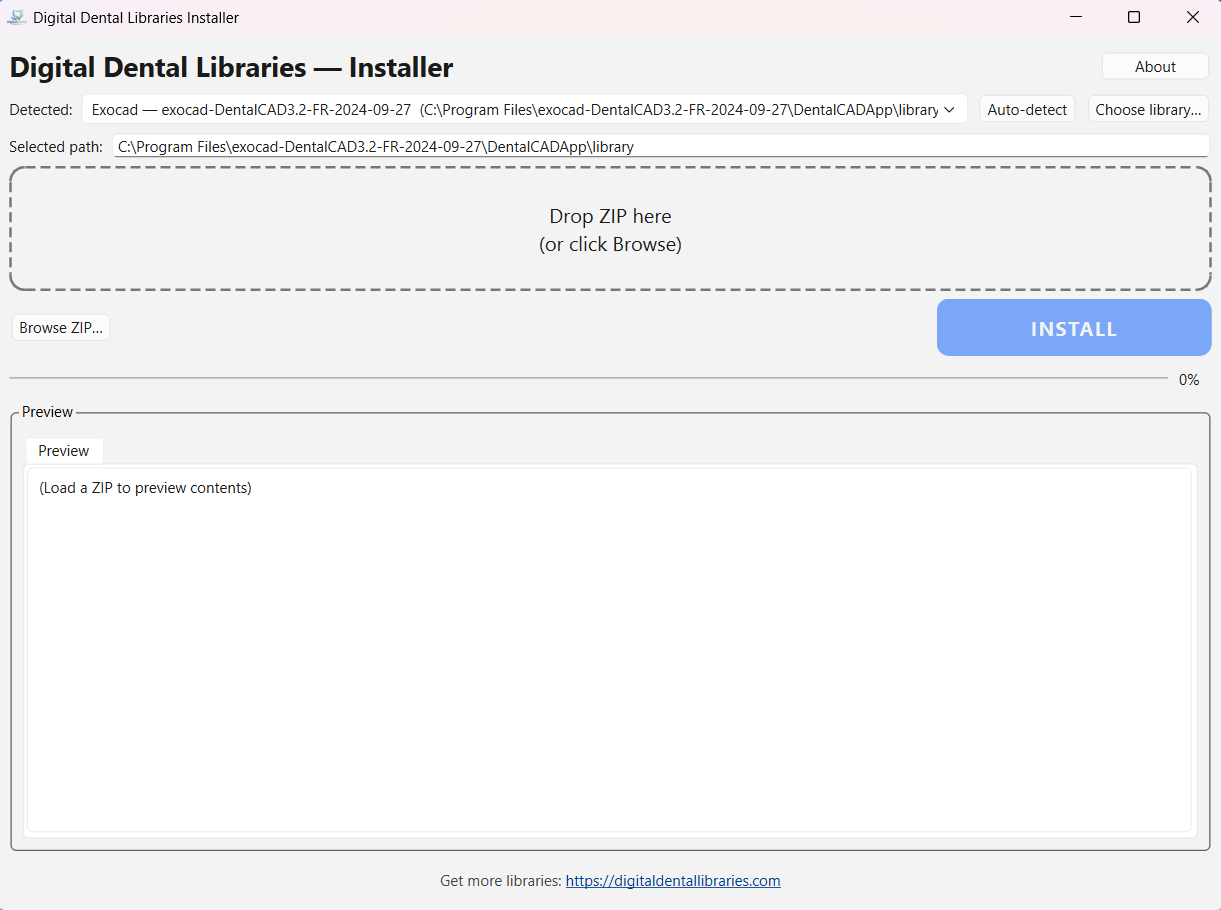
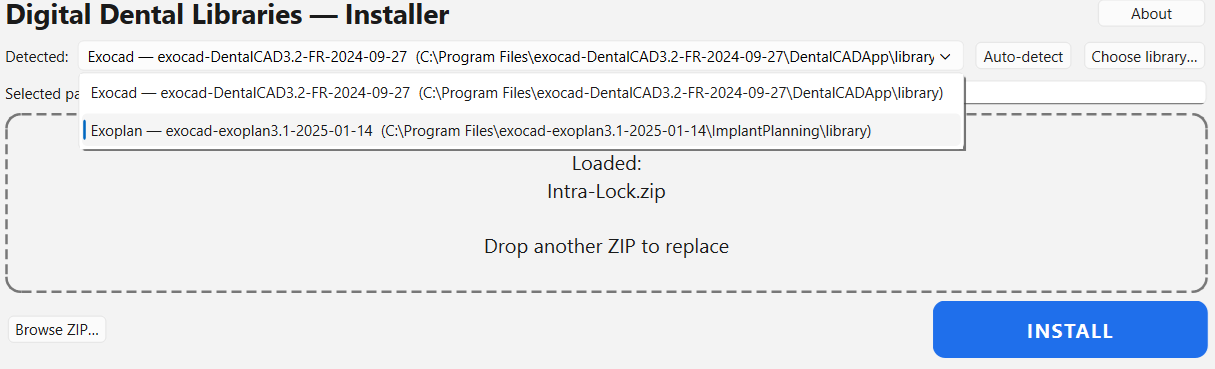
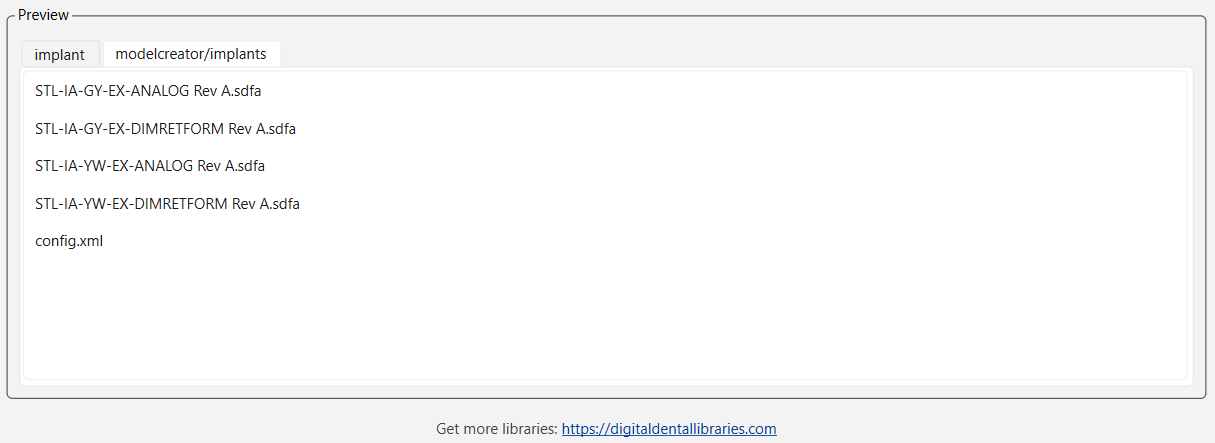
Drop your ZIP → Select detected installation → Click INSTALL
Quick start guide
- Download the installer (.exe) and run it (no installation required).
- Drag & drop your library ZIP file or click Browse ZIP….
- Select the detected Exocad or Exoplan installation.
- Check the Preview (recommended).
- Click INSTALL.
Notes & troubleshooting
Windows SmartScreen warning:
Click “More info” → “Run anyway”.
No installation detected?
Click “Choose library…” and manually select:
DentalCADApp\library (Exocad) or
ImplantPlanning\library (Exoplan).
Existing libraries:
Files are merged into the existing library structure.
Download
Digital Dental Libraries Installer – Windows
Version 1.0.0